Aktuellen Plan und Berichte anzeigen
Zuletzt aktualisiert am
Folgen Sie diesen Schritten, um Ihren aktiven Support-Plan anzuzeigen und auf die monatlichen Service- und Ticketberichte zuzugreifen:
-
Navigieren Sie zum STACKIT Portal.
-
Wählen Sie die richtige Organisation bzw. das richtige Projekt über den Resource Manager aus.
-
Klicken Sie in der Seitenleiste unter der Kategorie Support auf Support Plans.
-
Die Übersichtsseite Aktiver Plan wird geöffnet und zeigt nähere Details zum Plan an.
-
Klicken Sie in der Seitenleiste unterhalb von Aktiver Plan auf das Tab Berichte.
-
Klicken Sie auf der Hauptseite auf das Element unter Monat auswählen, um einen Berichtszeitraum auszuwählen.
-
Der Tab Servicebericht ist standardmäßig geöffnet. Sie können auch auf Ticketbericht klicken, um Details auf Ticket-Ebene anzuzeigen.
Eine Beschreibung dessen, was Serviceberichte und Ticketberichte enthalten, finden Sie in den folgenden Abschnitten.
Detailansicht
Abschnitt betitelt „Detailansicht“Der Tab Aktiver Plan zeigt die Details Ihres aktuellen Support-Plans an, darunter allgemeine Informationen (Support-Stufe, Standort des Support-Teams, Kommunikationskanäle und Startdatum) sowie die definierten Service- und Supportzeiten für Incidents, geschäftskritische Incidents und Service Requests, einschließlich der angestrebten Reaktions- und Antwortzeiten. Klicken Sie oben rechts auf Allgemeine Geschäftsbedingungen, um vertragliche Details und die geltende Servicebeschreibung einzusehen.
Berichte
Abschnitt betitelt „Berichte“Über die Funktion Berichte können Sie die SLA-Performance bewerten und den Status sowie die zeitlichen Abläufe einzelner Support-Tickets nachverfolgen.
Serviceberichte
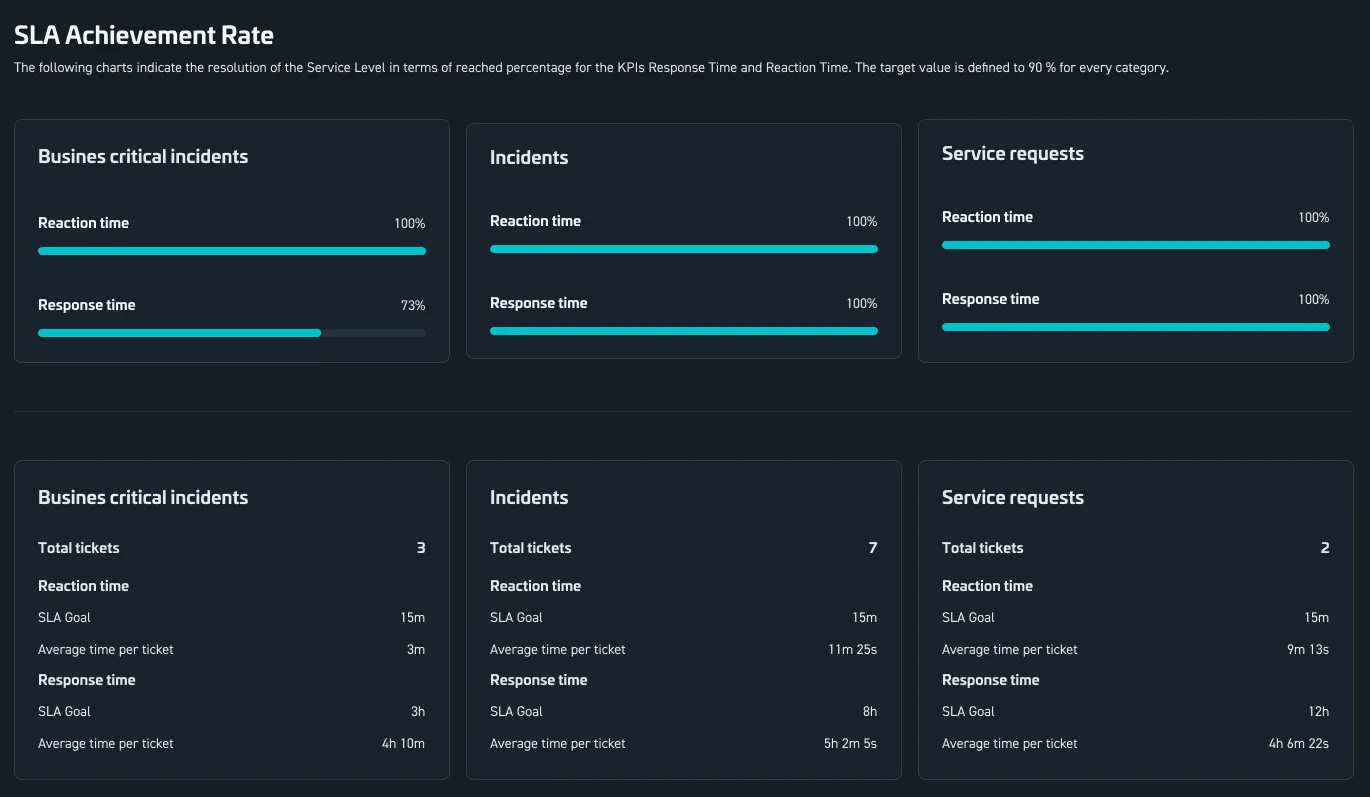
Abschnitt betitelt „Serviceberichte“Der Tab Servicebericht gibt Ihnen einen SLA-Überblick für den ausgewählten Monat:
- Erreichungsgrad der KPIs für jede Ticket-Kategorie (zum Beispiel geschäftskritische Incidents, Incidents und Service Requests).
- Vergleich der tatsächlichen Reaktionszeit und Antwortzeit mit den definierten SLA-Zielen.
- Aggregierte Kennzahlen wie die Gesamtzahl der Tickets und die durchschnittlichen Antwortzeiten pro Kategorie.
Ticketberichte
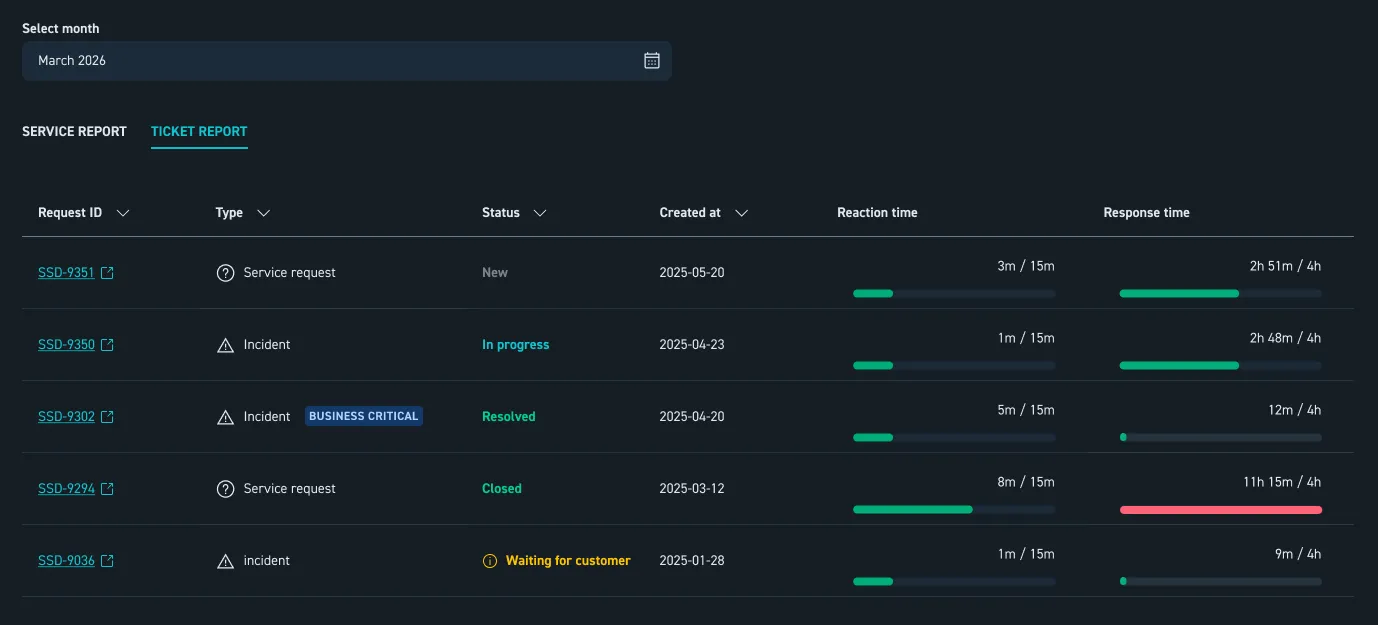
Abschnitt betitelt „Ticketberichte“Der Tab Ticketbericht bietet eine Aufschlüsselung Ihrer angeforderten Support-Aktivitäten auf Ticket-Ebene:
- Liste einzelner Anfragen mit Anfrage-ID, Anfrage-Typ und aktuellem Status.
- Erstellungsdatum und Bearbeitungsstatus (zum Beispiel “neu”, “in Bearbeitung”, “gelöst” oder “geschlossen”).
- Reaktionszeit und Antwortzeit pro Ticket im Vergleich zu ihren SLA-Zielen.